maktib.
Live · assistants at work
What is Maktib?

Like hiring an assistant who can use any website.

1

AI assistants

Each one has a name and a job, like store, sales, legal or sourcing. They understand plain requests and remember how you like things done.

2

With their own computer

Every assistant works on its own private computer in the cloud. It opens websites, signs in, clicks, types and downloads, just like a person would.

3

That you message from your phone

Ask in a chat on iPhone, Android or the web. Get updates, approve important steps with one tap, and receive the results and files.

How it works

You ask. It does the work. You stay in charge.

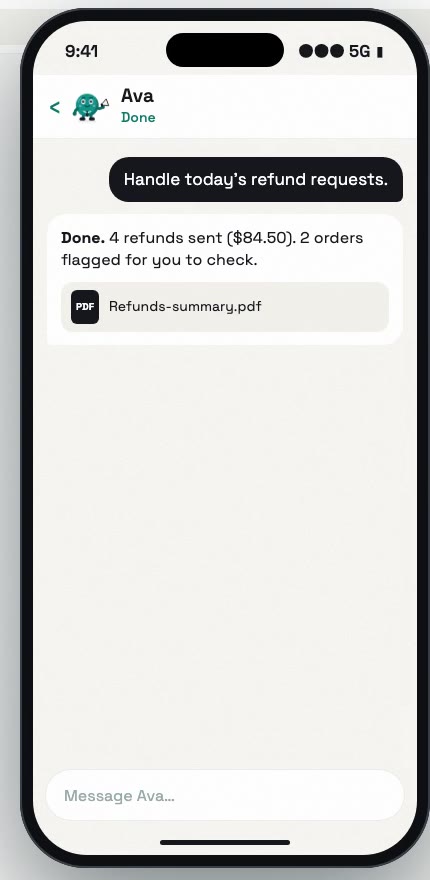
A chat with Ava on the phone
1. Ask in chat

"Handle today's refund requests." Write it like you'd message a person.

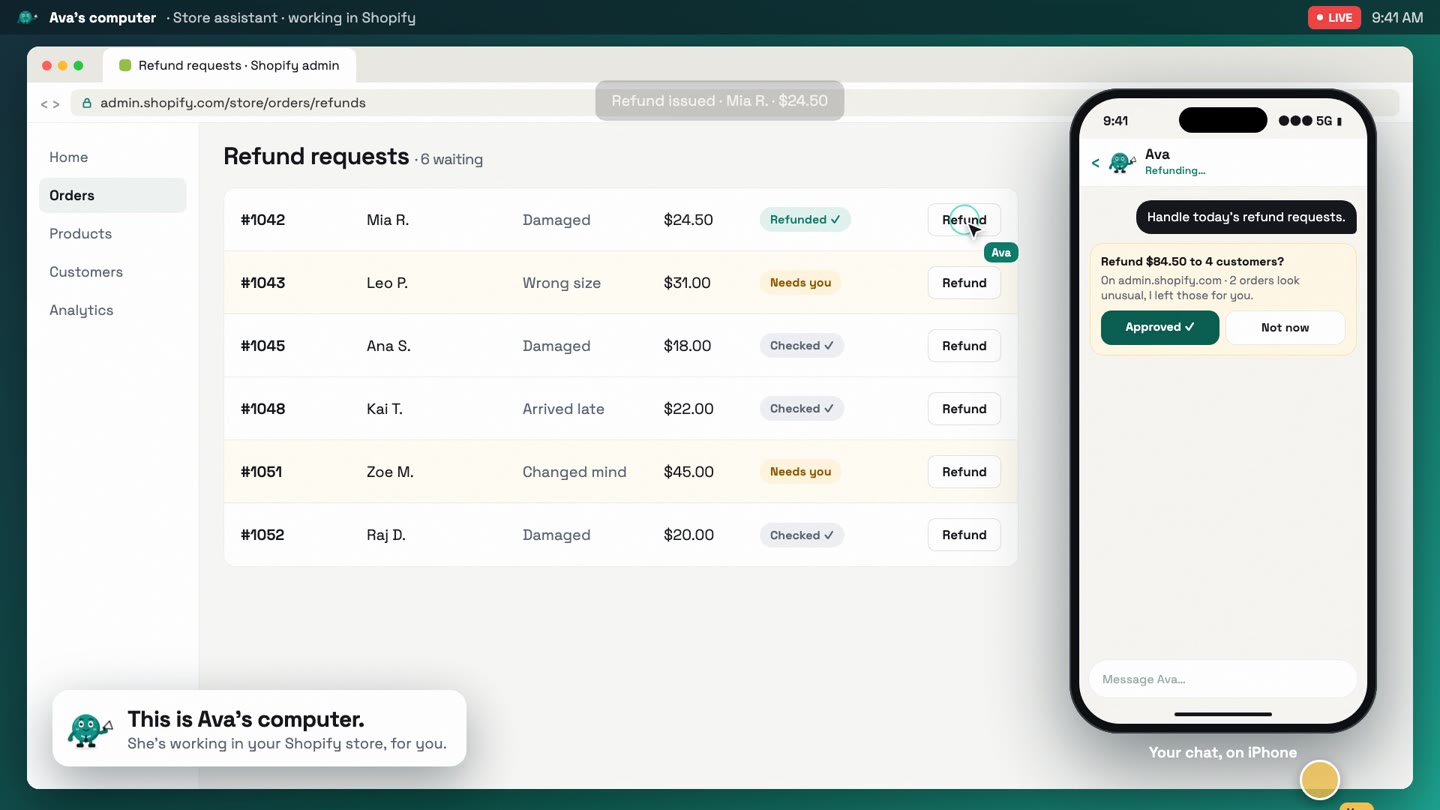
Ava working in Shopify on her computer
2. It logs in and works

Your assistant signs in with your saved login and does the job on its own computer. Watch live anytime.

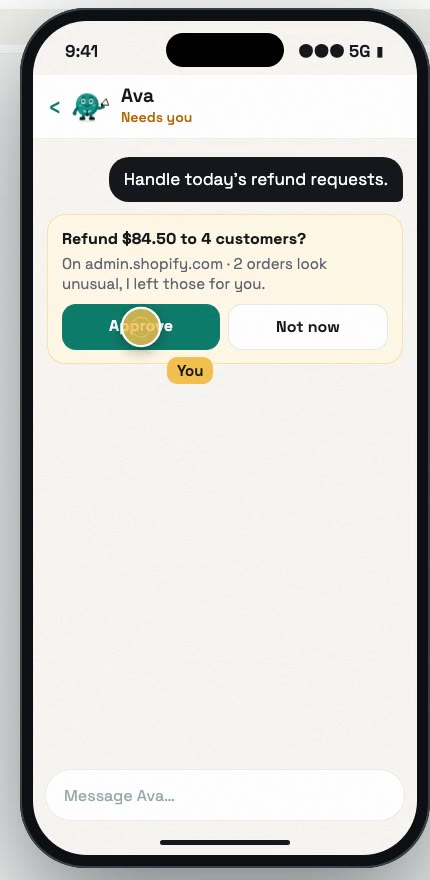
Approving refunds on the phone
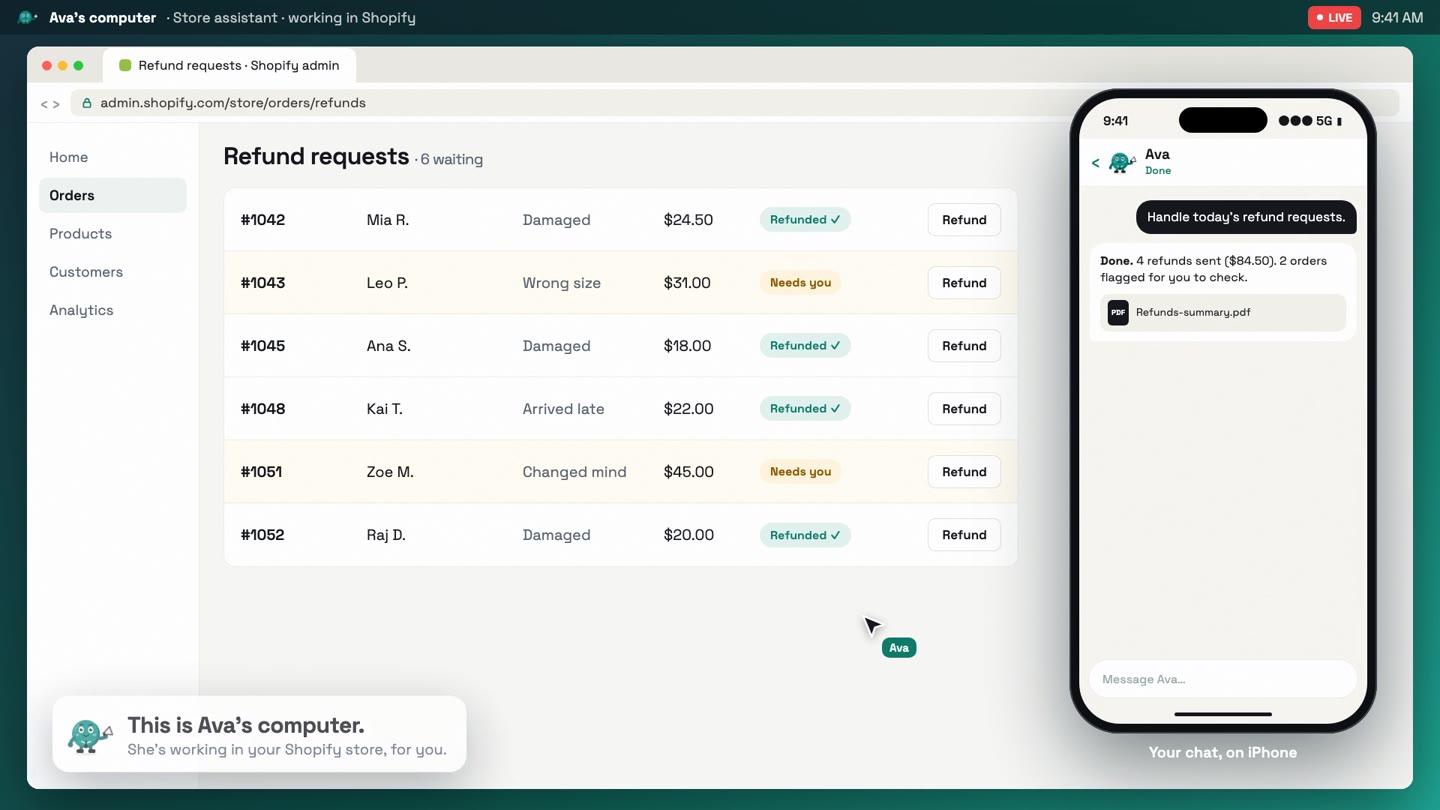
3. You approve, it finishes

Payments, messages and deletes wait for your OK. Then you get the result: a summary, a file, a done task.

Meet your assistants

A team for the work you keep putting off.

AvaStore assistant · Shopify

Checks refund requests, flags the unusual ones, and refunds the rest after you approve. Updates products and keeps an eye on orders.

  • Refunds and returns
  • Product and stock updates
  • Daily order check-ins
Ava refunding orders in Shopify
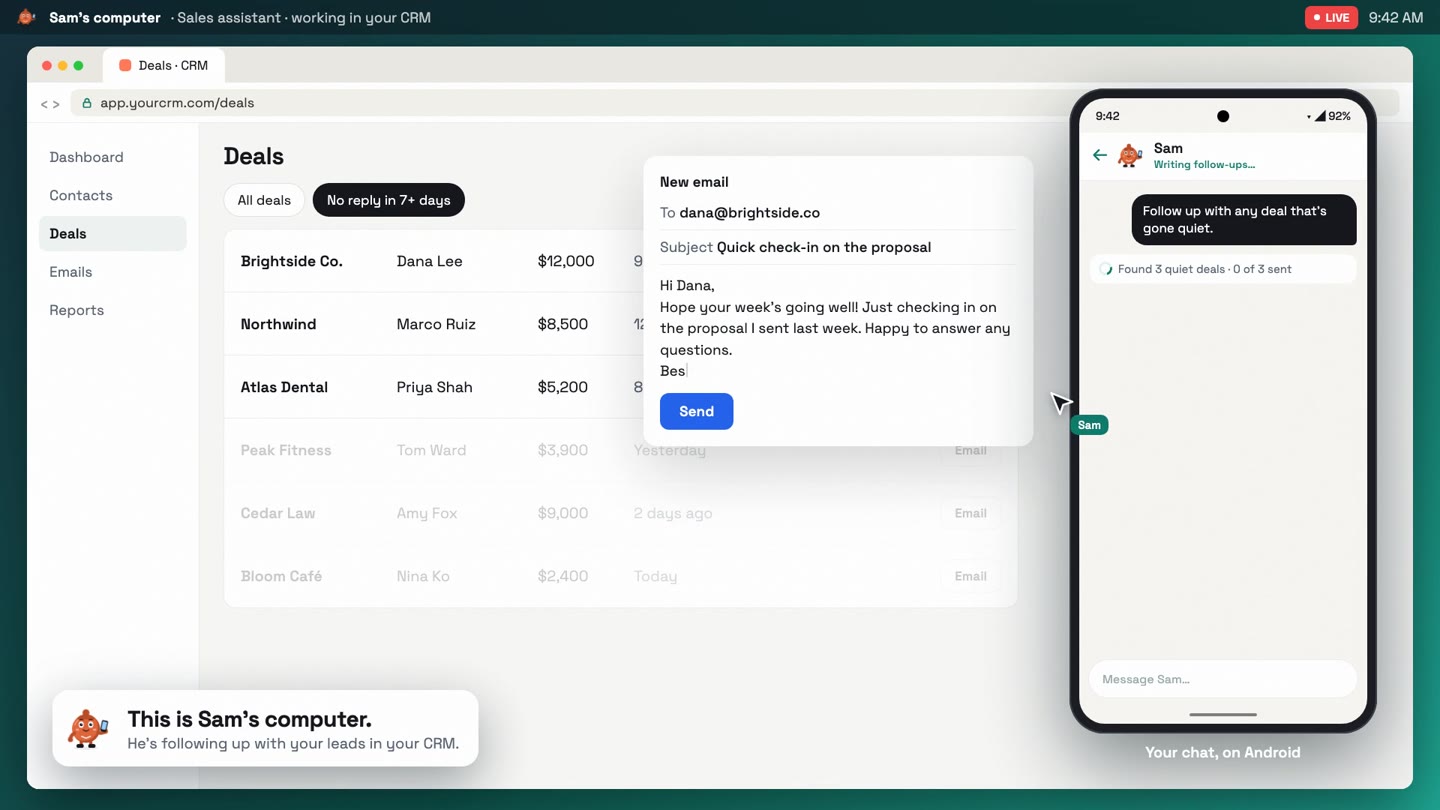
SamSales assistant · your CRM

Finds deals that went quiet and writes a personal follow-up to each one, then updates the deal so your pipeline is always current.

  • Follow-ups that sound like you
  • Lead and deal updates
  • Reply tracking
Sam writing a follow-up email in a CRM
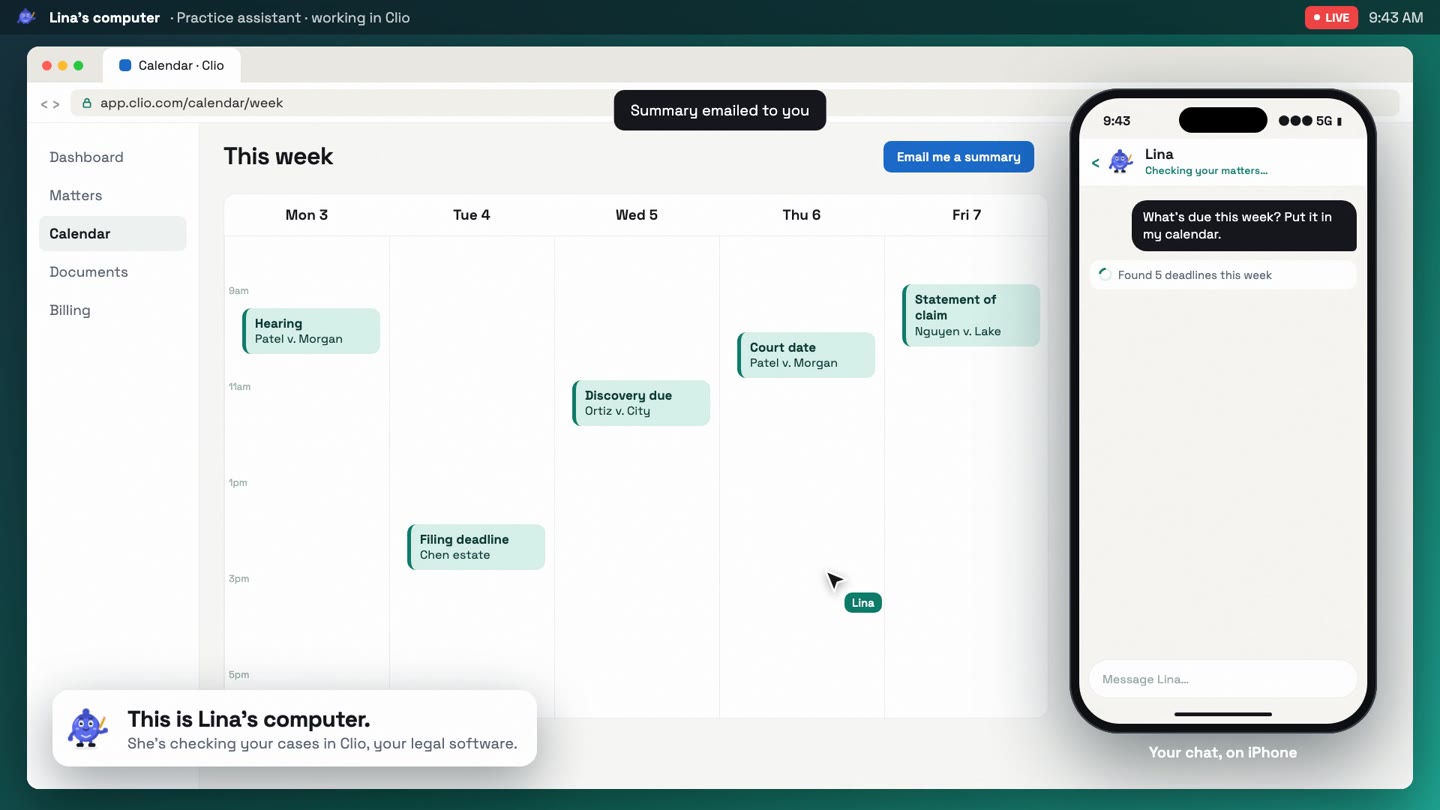
LinaPractice assistant · Clio

Goes through your matters, finds court dates and filing deadlines, puts them in your calendar and emails you a summary.

  • Court dates and deadlines
  • Calendar updates
  • Weekly summaries
Lina adding deadlines to a calendar in Clio
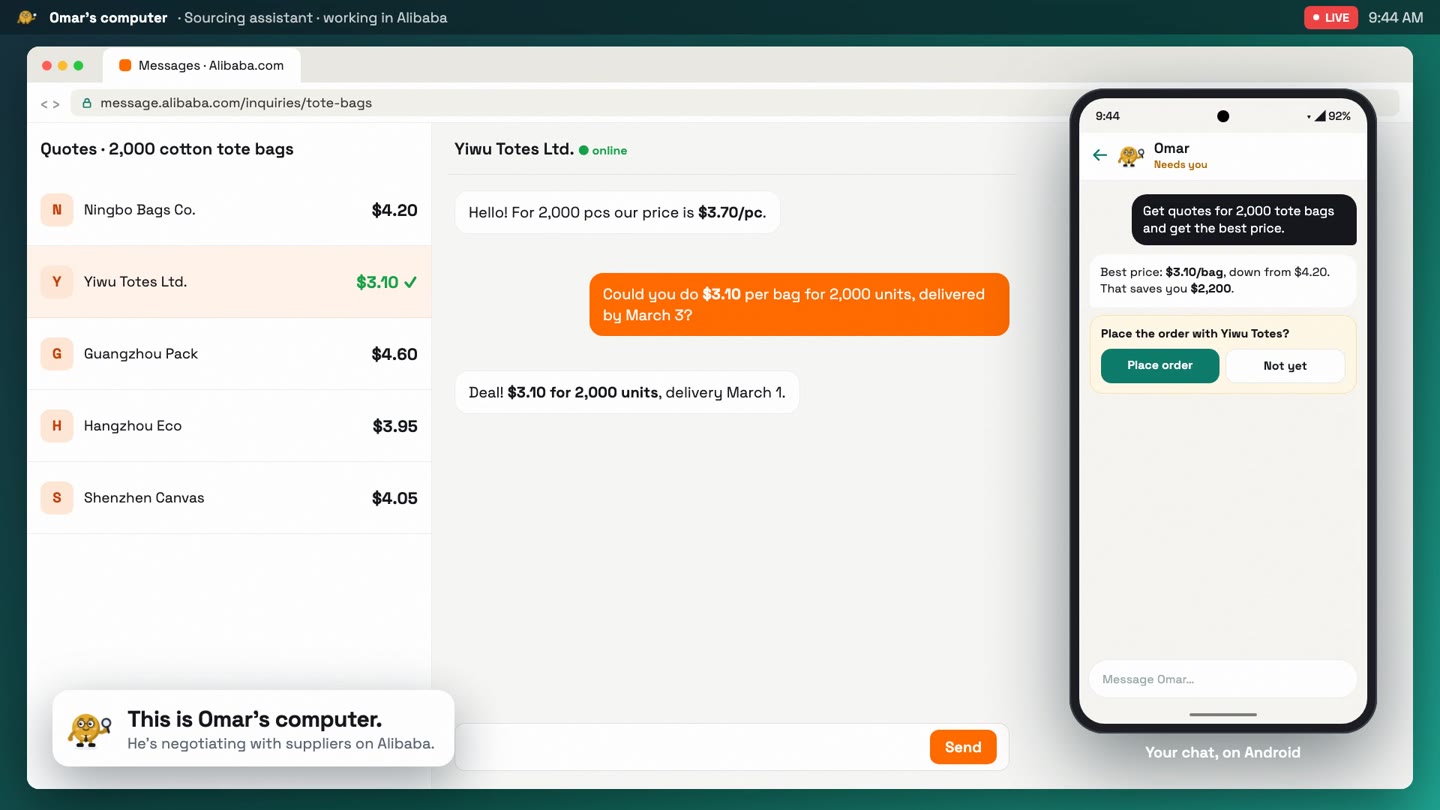
OmarSourcing assistant · Alibaba

Asks suppliers for quotes, compares them, and negotiates a better price. When the deal is ready, he asks you before placing the order.

  • Supplier quotes
  • Price negotiation
  • Order follow-up
Omar negotiating with a supplier on Alibaba

Also: chasing unpaid invoices, bookings and cancellations, website updates, forms, and almost any website you use.

Safe by design

Your accounts, your rules.

Passwords stay private

Logins live in your encrypted Vault and are typed straight into the right website. The AI never sees them.

You approve what matters

Every payment, message and delete waits for your tap, showing the real website it's on.

Watch or take over

See the assistant's screen live. Take control or stop it at any moment.

Private office

Your assistants, computers and files belong to your account only. Delete anything, anytime.

Pricing

Start free. Grow when you're busy.

Free
$0
  • 3 assistants
  • 1 working at a time
  • Fast brain
  • 3 watches
Lite
$10/mo
  • 5 assistants
  • More weekly use
  • Fast brain
  • 5 watches
Most popularPro
$30/mo
  • 10 assistants
  • 2 working at once
  • Fast + Smart brains
  • 15 watches
Plus
$100/mo
  • 25 assistants
  • 5 working at once
  • All brains
  • 50 watches
Heavy
$300/mo
  • 50 assistants
  • 10 working at once
  • All brains
  • 150 watches

Usage allowances reset every week. Cancel anytime.

Questions

Good to know.

Is my password safe?

Yes. Logins are encrypted in your Vault. The AI never sees them. Maktib types them straight into the website, and only on the website you saved them for.

What if it makes a mistake?

It asks before paying, sending anything important or deleting. You can watch its screen, take over, or stop it at any time.

Which websites does it work with?

Most websites you can use in a normal browser: stores, CRMs, legal and accounting software, booking sites and supplier portals. If a site blocks automated visitors, it tells you plainly.

What about codes sent to my phone?

When a site asks for a one-time code, your assistant pauses and asks you. You type it into a secure box, never into the chat.

Is there a phone app?

Maktib works on iPhone, Android and the web, so you can message your assistants and approve steps from anywhere.

Can I cancel?

Anytime, from Settings. You keep your plan until the end of the month you paid for.

Hand off your busywork.

Free to start. Just your email, no password, no card.

Get started free
Pick or create an assistant

What do you want done?

Pick an errand to start. We'll set up the right assistant and fill in the request — you just press Send. Or type anything in your own words.

Files

Drop files to upload

Vault

Saved logins, cards and notes are encrypted. Your assistants never see the actual passwords or card numbers — they're typed straight into the website. Cards always ask you first.

Settings

Overview

Totals for your whole office.

Team

Each assistant's job and the accounts it can use. Assistants read this too, so they know who handles what.

Clean up

Free up space or start fresh. Each action asks you to confirm and can't be undone. Files in the Shared folder are managed in Files.

Account

You sign in with your email and a one-time code — no password to remember. Your plan and this week's usage are under Overview.